How to Rank Your Website on Google for Free
TL;DR: Find real questions with low competition, use the exact question in your title/slug/H1, answer it in the first sentence, add a few supporting sections, point internal links at it, and watch Search Console for movement.

The free method that actually ships
New site? Low authority? You can still earn quick wins by aiming where intent is crystal clear and competition is thin.
Step 1 — Mine questions people already search
- Pop your core term into AlsoAsked.com
- Grab the question tree, group similar ones, and toss duplicates to avoid cannibalization.
- Pick one question you can fully answer on a single page.
Step 2 — Build the page to match the query
- Title / Slug / H1 = the exact question.
- First sentence = the answer.
- Follow with brief proof (photo, mini example, short list).
- Add 2–4 related sub-questions as H2s.
- End with a simple CTA (call, quote, or “learn more”).
Step 3 — Make it discoverable inside your site
- Link to the new page from a relevant service/category page.
- Add 3–5 contextual internal links from older posts that get traffic.
- Add the page to your sitemap.
Step 4 — Keep a steady rhythm
- Publish 2–3 of these Q&A pages each week from your grouped list.
- When one starts to pop, build a small cluster around it (comparisons, cost, steps).
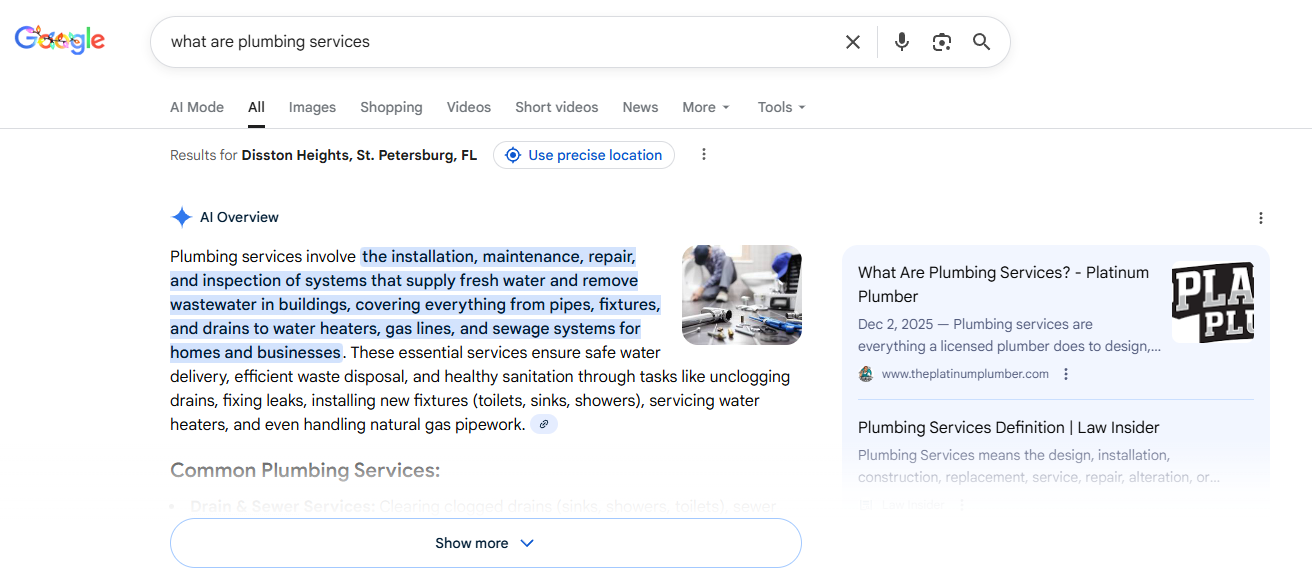
Real example (how we did it)
For a plumbing client, we chose “what are plumbing services,” used the exact phrase in the title, slug, and H1, answered immediately, then listed the common services and linked to a core service page. Result: page-one rankings and inclusion in AI Overview within days.
On-page template (copy this)
- H1: [Exact Question]
- Intro: One-sentence answer.
- H2: Why it matters / quick context
- H2: Key details (bulleted)
- H2: Related questions (2–4) with short answers
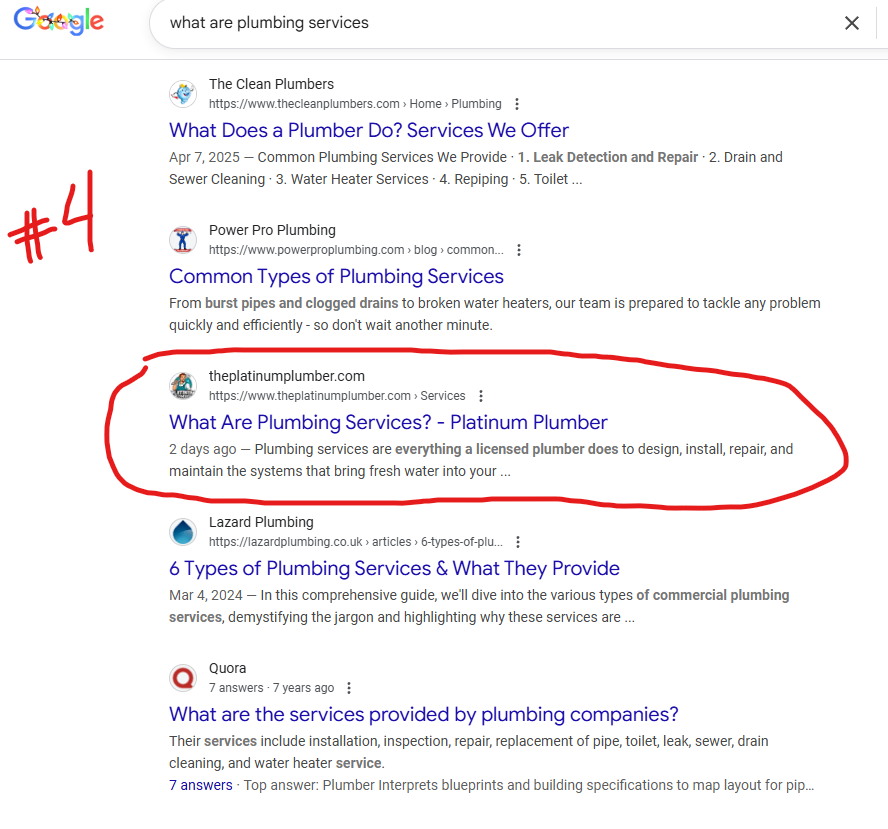
How to tell if it’s working
- Impressions rise first, then clicks (tighten titles if CTR lags).
- If impressions are flat after 2–3 weeks, add one section that competitors cover and point two more internal links at the page.
- Track queries → page in Search Console weekly; iterate.
Common mistakes to avoid
- Not repeating the question in the title/slug/H1.
- Burying the answer under a long intro.
- Duplicating the same question across multiple posts.
- Forgetting internal links.
Quick checklist (save this)
- Exact question in Title / Slug / H1
- First-sentence answer
- 2–4 supportive H2s from your grouped list
- One proof element (photo, example, mini case)
- 3–5 contextual internal links pointing in
- In sitemap
- Review Search Console weekly

.svg)

.avif)